Install Office Formatter Beta
Office Formatter Beta is installed using a manifest file. This is the standard way to manually load a beta Office add-in before public store publication. The process usually takes less than 2 minutes.
Before you start
- Microsoft Word or Excel online app available
- Signed in with a Microsoft 365 account
- Your Manifest file ready
Beta support
- SQL formatting
- Python formatting
- JSON, XML, and YAML formatting
Recommended
- Use the online version of Office
- Close and reopen Office if the add-in does not appear immediately
- Keep the manifest file in an easy-to-find folder
Step-by-step installation
1
Download the manifest file
Save the file provided to you manifest.excel-word.prod.
The manifest is not the add-in code itself. It tells Office where to load the beta add-in from.
2
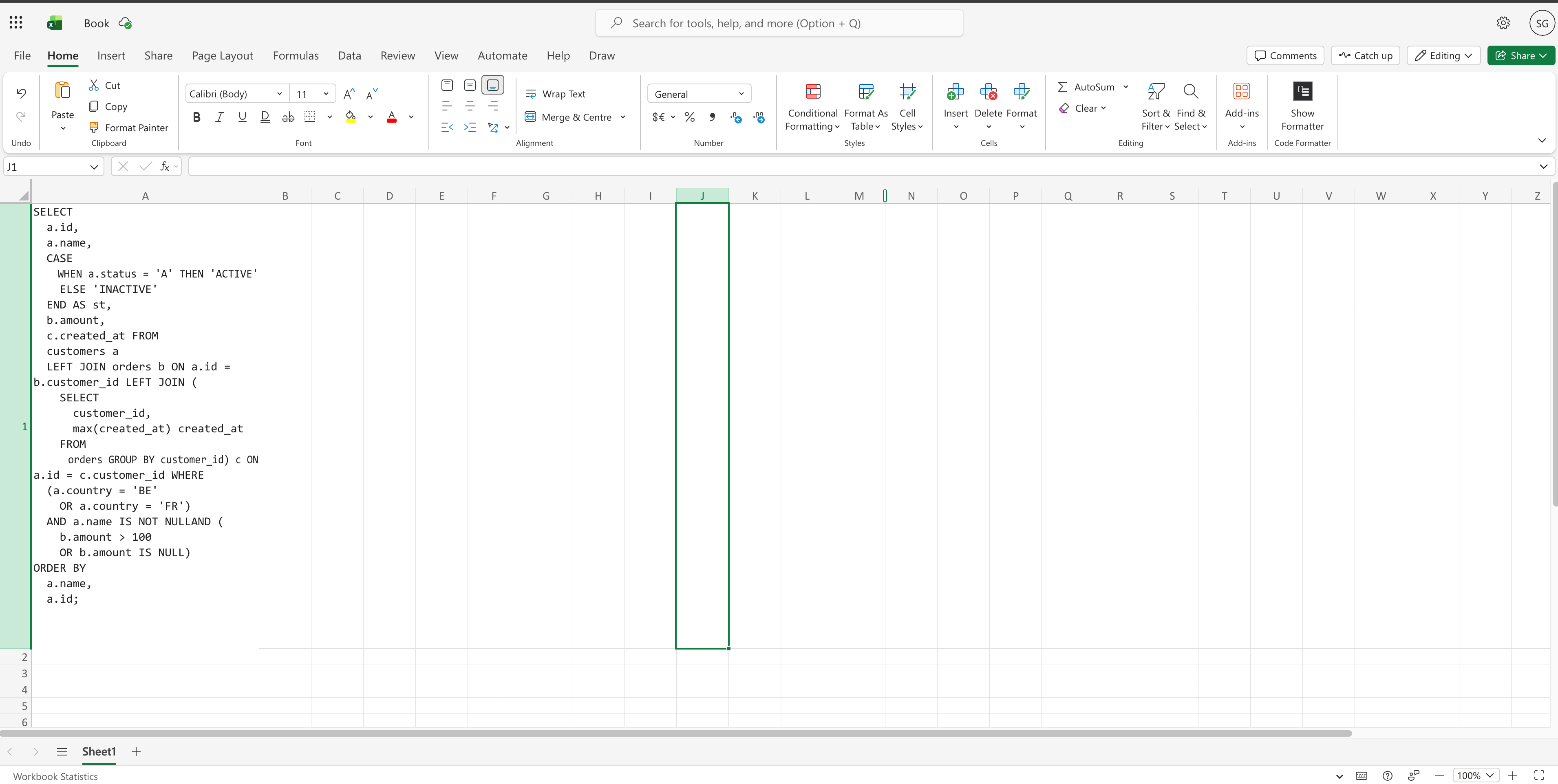
Open Word or Excel
Launch the Online Office app where you want to use Office Formatter.
3
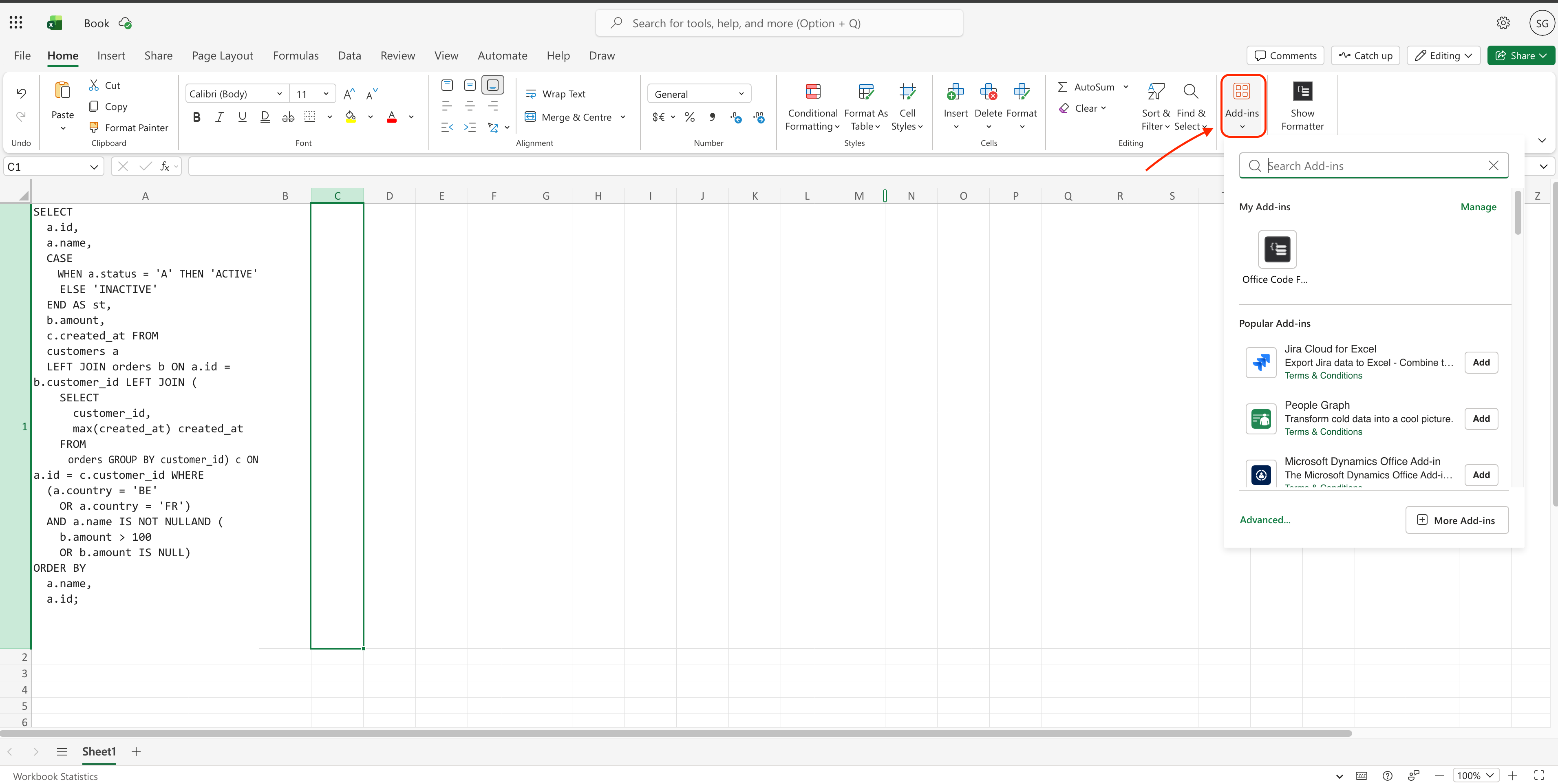
Go to Home → Add-ins
From the Office ribbon, click Home, then open the add-ins menu.
4
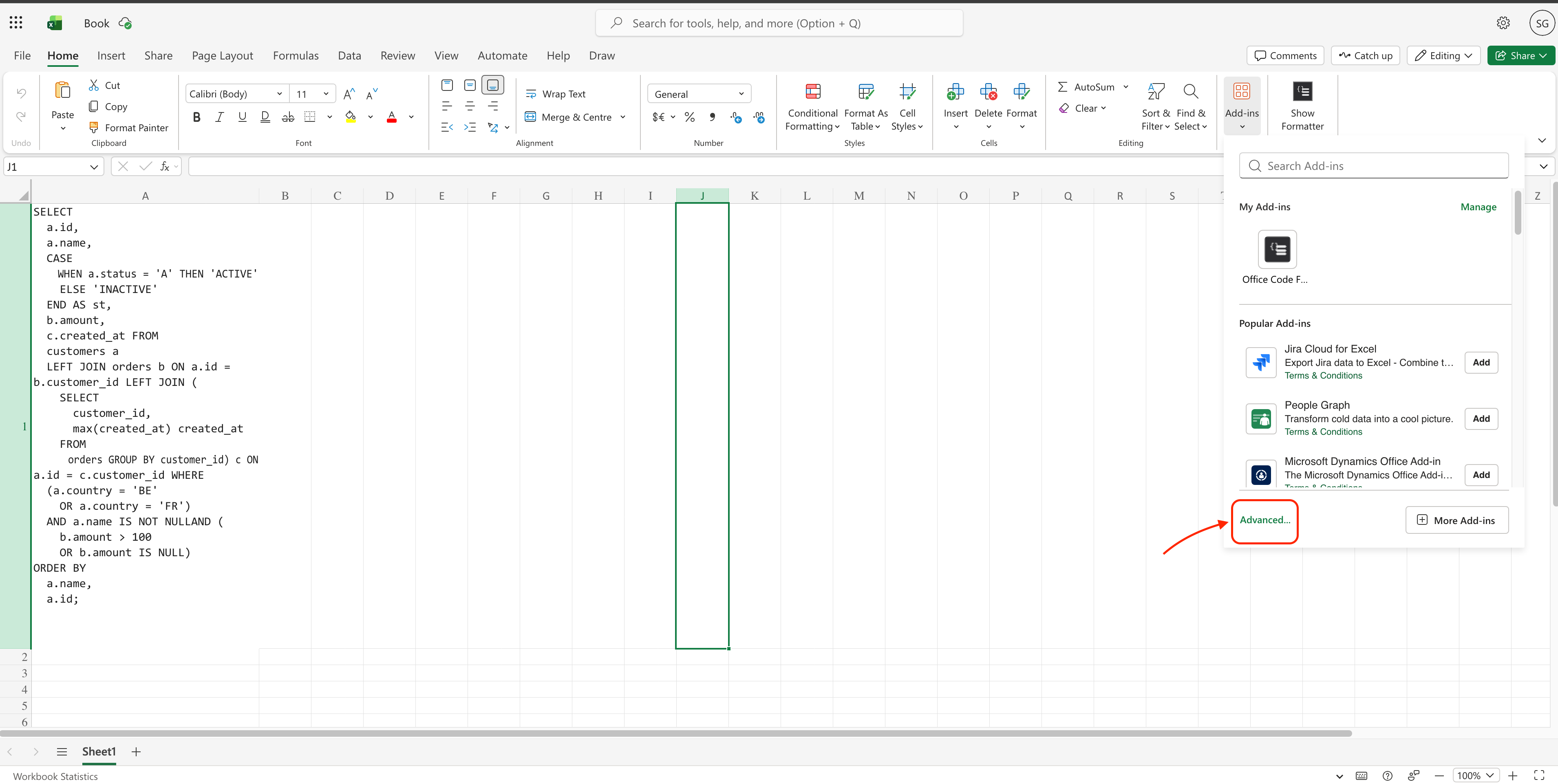
Open My Add-ins
In the add-ins window, choose Advanced.
5
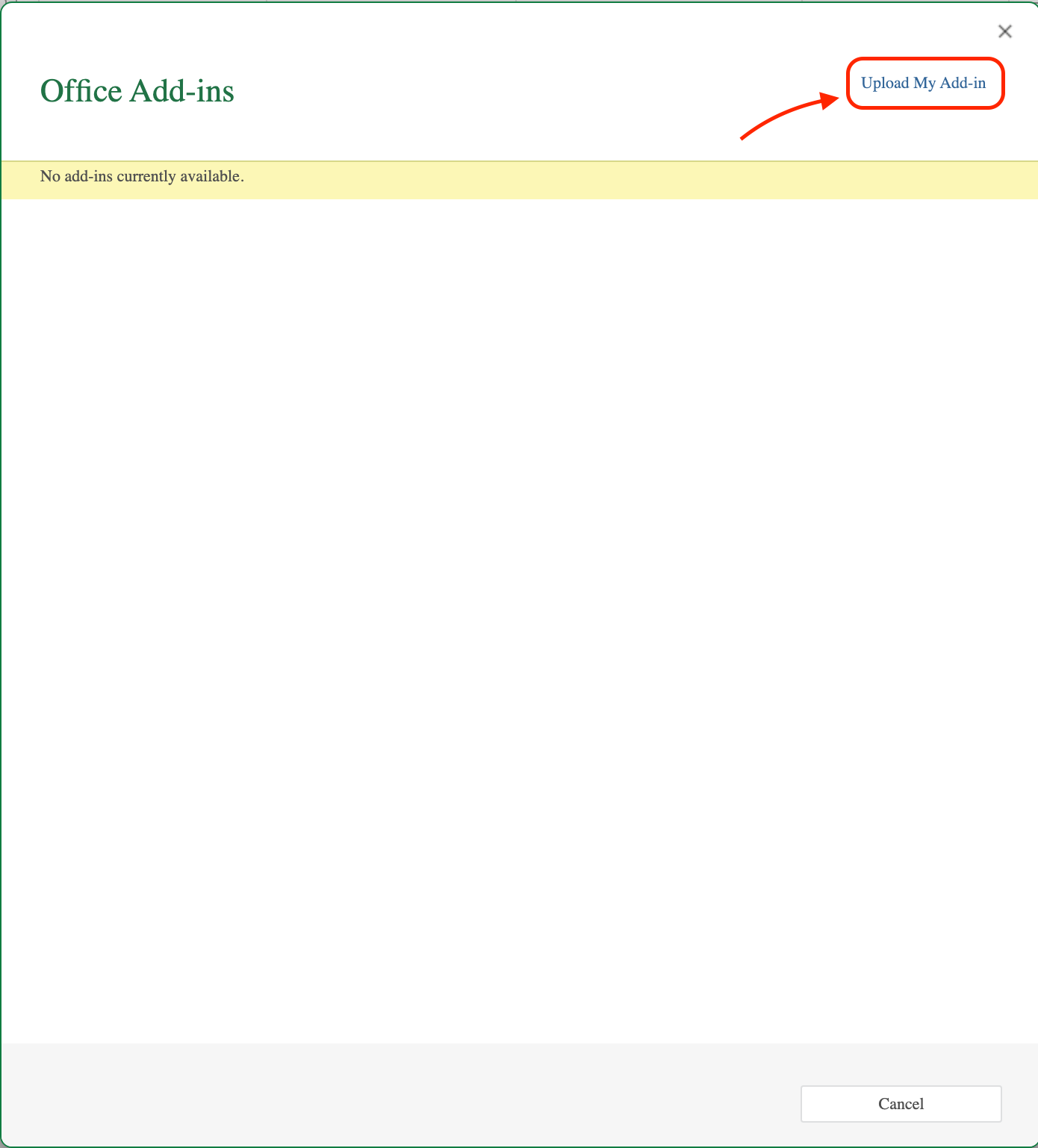
Upload the manifest file
Click Upload My Add-in and select your manifest XML file.
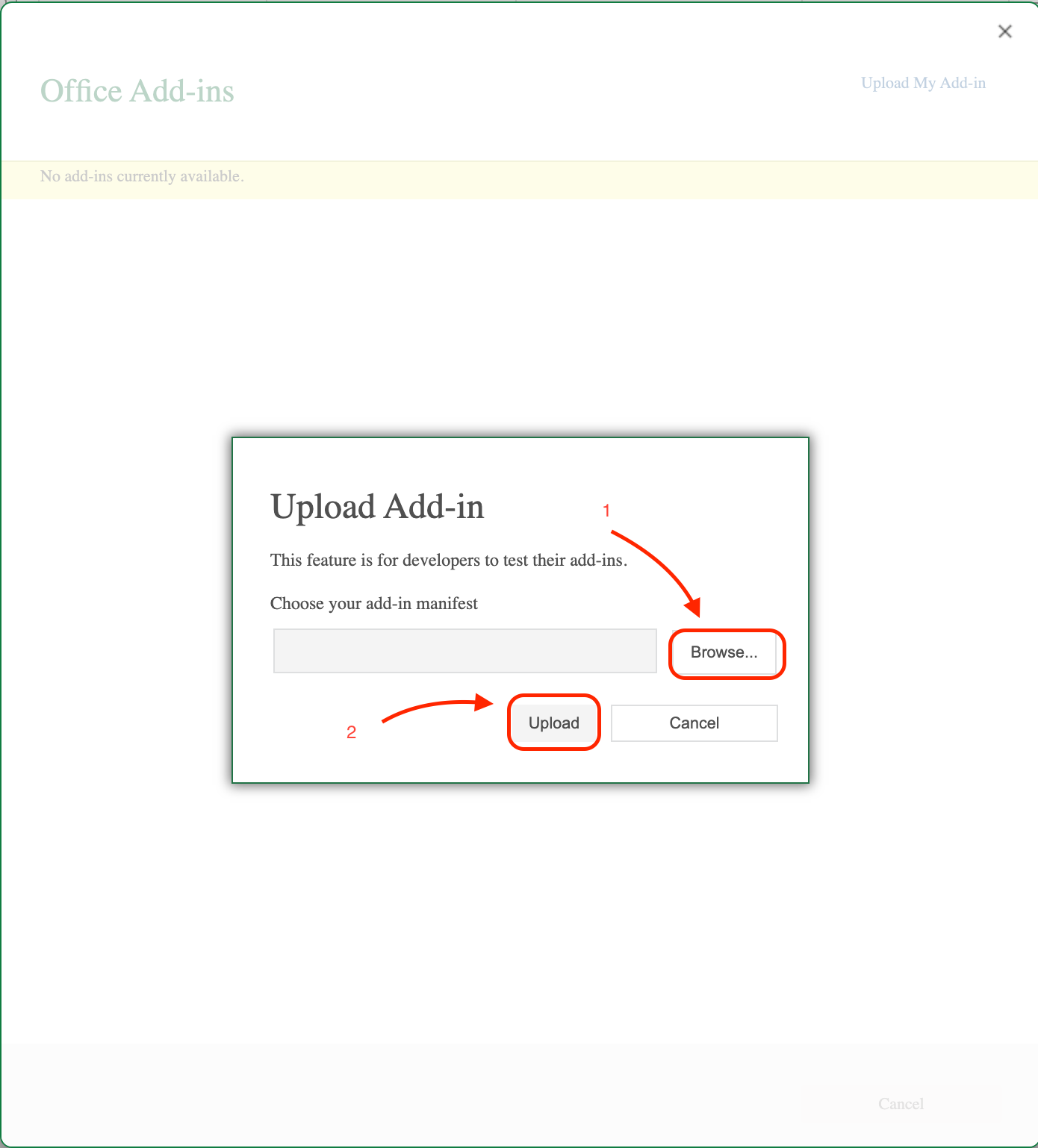
6
Open Office Formatter
After installation, Office Formatter should appear in your add-ins list or ribbon entry points, depending on the host app.
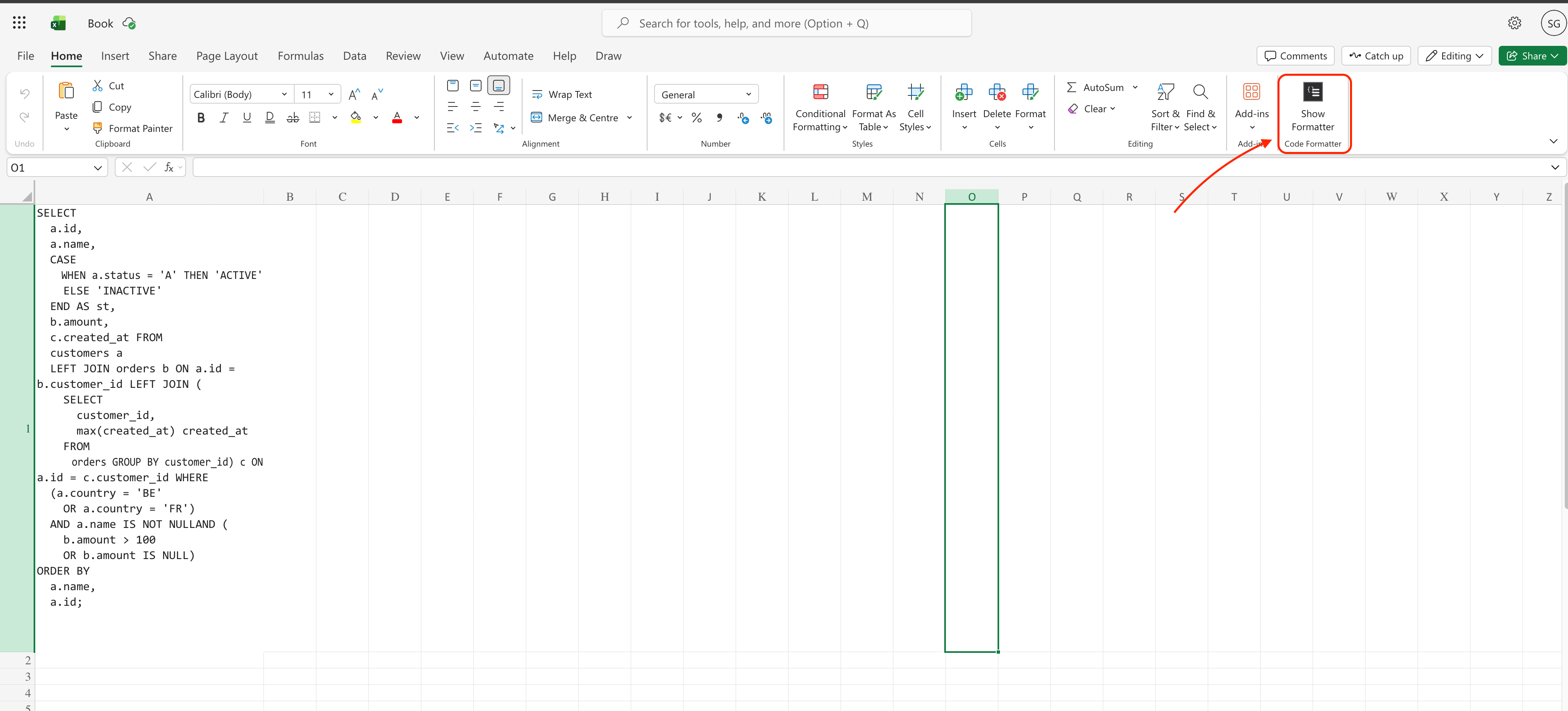
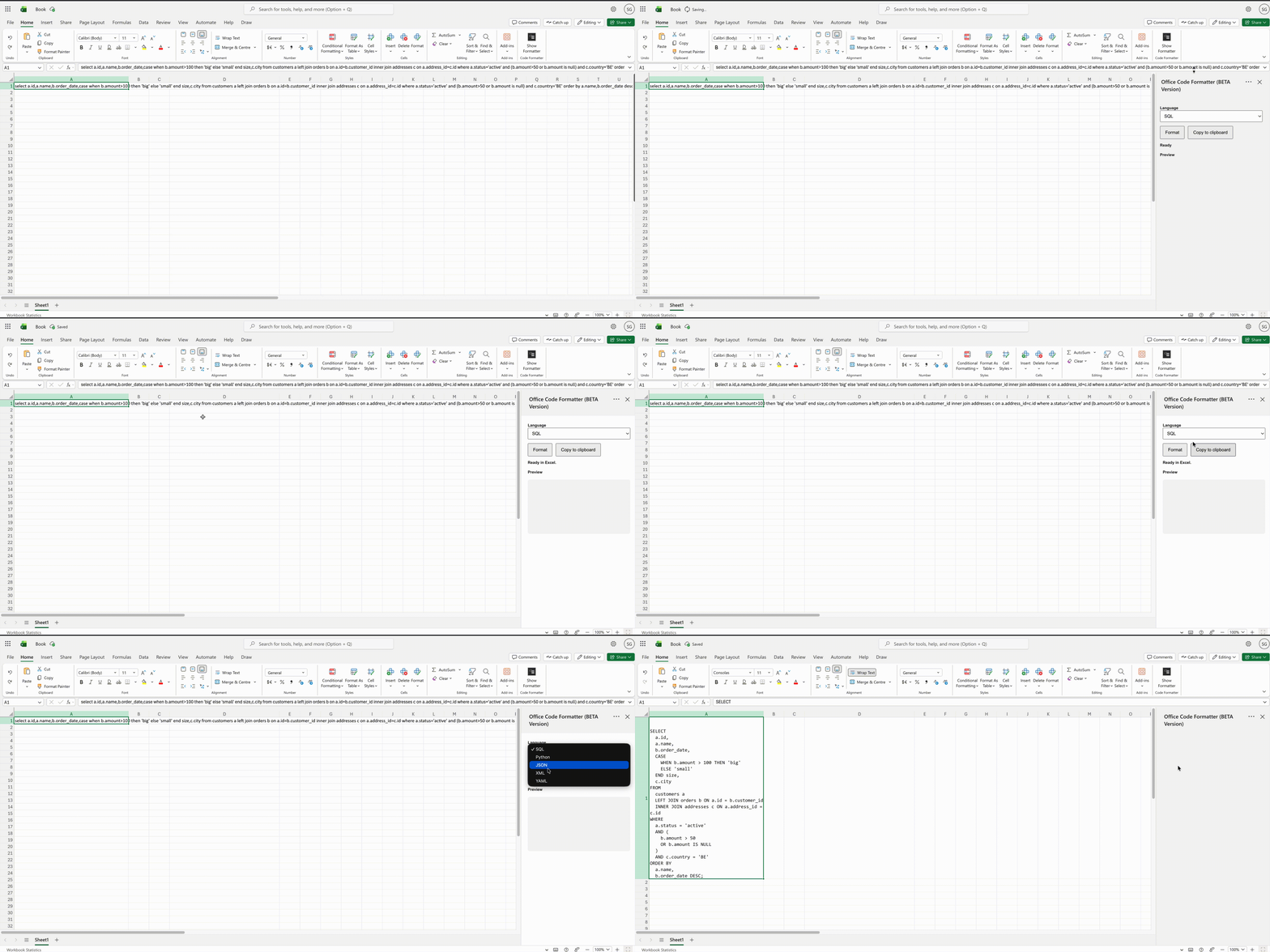
See Office Formatter in Action
Watch how Office Formatter instantly cleans and formats your code directly inside Office.
Troubleshooting
- Make sure you are signed in to Microsoft 365.
- Use the browser Office application.
- Close and reopen Word or Excel after uploading the manifest.
- Confirm you selected the correct
.xmlfile. - If the add-in still does not appear, contact support with a screenshot.
Need help?
Email: steve.ngabo@dwtechdata.com
Include:
- Your Office app version
- Whether you are using Word or Excel
- A screenshot of the error or missing menu